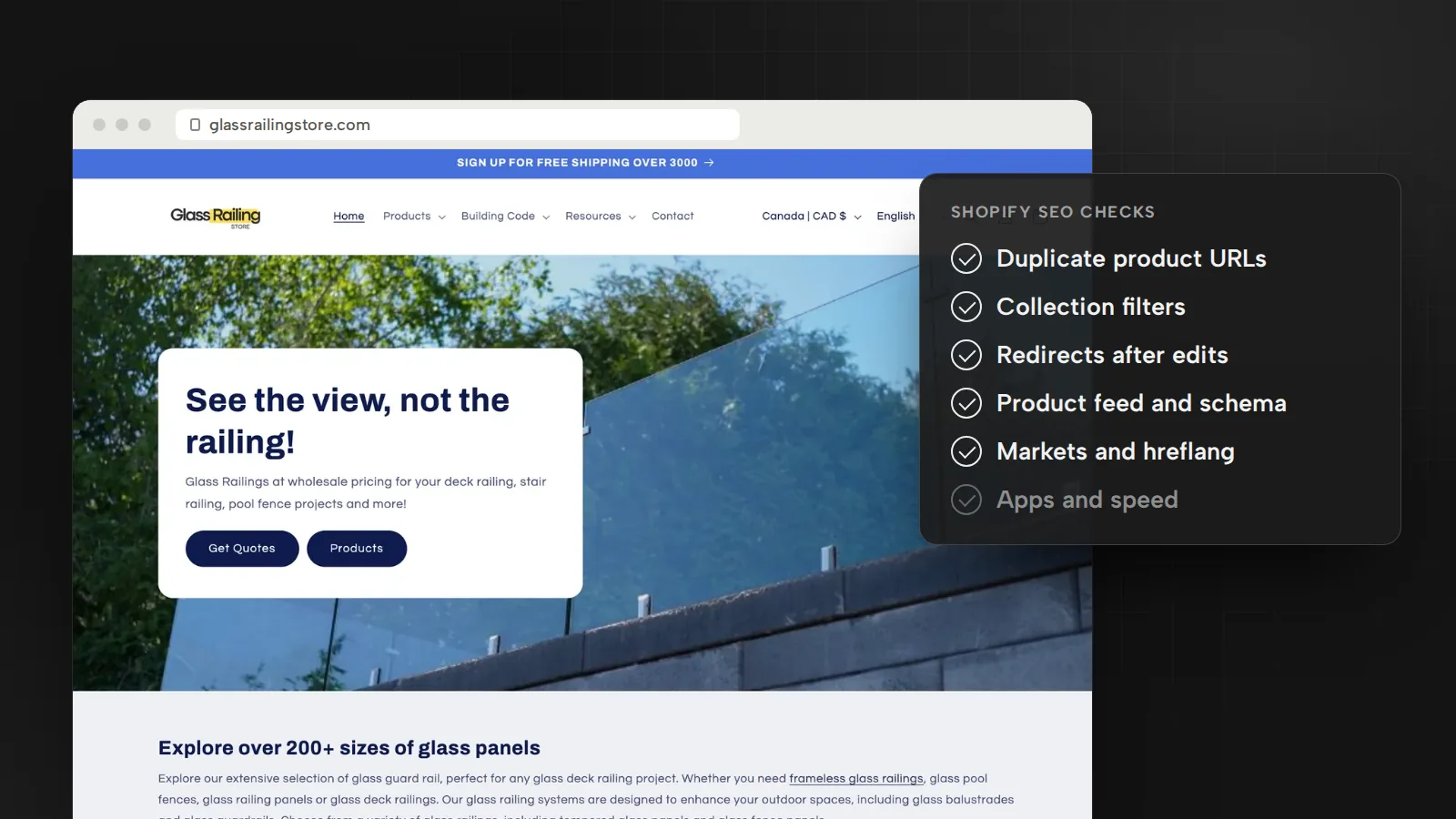
Most of what changed going into 2026 is on Google’s side: its product structured data moved closer to the Merchant Center feed, and FAQ rich results stopped appearing on May 7, 2026. Go in order, because the first two checks decide which URLs Google sees at all.
Make collections the pages that rank for categories
Someone searching for a type of product should land on a collection, not on one item or your home page. Give every collection that matches a real search its own title, meta description and a short introduction above the grid. Write product descriptions yourself: Shopify advises against copying a manufacturer’s text, because other sites may use the same words.
Then link it all together. Google finds pages mainly through links from pages it has already crawled, and it reads link text to learn what a page is about. Put your main collections in the header menu, link each product to its collection and to related products, and name the category in the anchor text instead of “Shop now”.
Control the duplicate URLs Shopify creates
Duplicate content doesn’t break Google’s spam policies, but Google shows one URL per piece of content, and you want to choose it. Shopify sets a canonical URL on every page automatically. Two gaps remain:
- Products inside collections. A theme can link a product through its collection, as in
/collections/sale/products/blue-shirt. Shopify’s Liquid documentation warns that this puts the same content on separate URLs. Link product cards to the plain/products/address instead. - Filtered and sorted collections. Shopify’s default
robots.txtblocks collection URLs with a plus sign (filters) orsort_by, because they repeat the collection page. Keep those rules.
Edit robots.txt.liquid only with a clear reason. Shopify calls it an unsupported customization and warns that incorrect use “can result in loss of all traffic”. And if Search Console shows “Indexed, though blocked by robots.txt”, Shopify says that is normal and usually not a cause for concern.
Write titles and descriptions for the pages that sell
Shopify accepts up to 70 characters in a page title and suggests 60, so it isn’t cut off in results. For meta descriptions on pages, products, collections and blog posts, it recommends 160 characters. Google’s starter guide asks for a title that is unique to the page, clear, concise and accurate, and says it can include your business name.
Google usually builds the snippet from the page itself, not the description, so a good description is short, unique and covers the page’s most relevant points. Start with the collections and best sellers that bring in revenue. For hundreds of products, a template that fills in each product’s type, material and price beats one sentence copied everywhere.
Keep product markup and the Merchant Center feed in sync
Google keeps aligning product markup with Merchant Center: sale, strikethrough and member prices to match Merchant Center’s price features in February 2025, merchant-level shipping policies in November 2025, and the product category property and sale price dates, both aligned with the feed, in July 2026. Price, stock, shipping and returns should match on the page, in the markup and in the feed.
Shopify’s Google & YouTube channel syncs products, your domain and your shipping and tax settings to Merchant Center. Its requirements page lists the common traps:
- A product with a GTIN needs it before it can publish; without one, add the MPN and brand. With wrong identifiers, Google doesn’t publish the products and the account could be suspended.
- Only rates in your General shipping profile can sync; custom shipping profiles sync incorrectly.
- Connecting the channel overwrites a product feed you already have.
- Your refund policy and terms of service must be in the footer menu, with a visible way to contact you.
Then test a product page in Google’s Rich Results Test and confirm the markup matches the page. If an app added FAQ markup for the rich result, that result is gone, so keep the app only if shoppers read the answers.
Describe and size every product image
Shopify lets you set alt text on product images and on collection and blog post featured images, using words from the page the image appears on. Google’s starter guide describes alt text as a short, descriptive explanation of how the image relates to your content, and asks for sharp images near relevant text. “Frameless glass railing on a cedar deck” helps a shopper using a screen reader and helps Google. A string of keywords helps neither.
Since March 2026, Google’s documentation says it uses both schema.org markup and the og:image tag to choose thumbnails, so point both at the main product photo. For speed, Shopify says to resize images to their display size and use JPG for photos and PNG for transparency. It compresses JPG files itself, so your job is the dimensions.
Keep apps and scripts from slowing the store
Shopify’s web performance reports show the three Core Web Vitals from real visitors over the past 30 days, at the 75th percentile. Good means Largest Contentful Paint up to 2.5 seconds, Interaction to Next Paint up to 200 milliseconds and Cumulative Layout Shift up to 0.1. The reports split results by page type and mark app installs, theme updates and new code.
Start with apps. Shopify says too many apps loading assets can slow the storefront, that poor INP most likely means too much JavaScript, and that uninstalling an app doesn’t automatically remove its code from your theme. My order:
- Find the slowest page type in the report.
- List every app and tag that loads on it, including your tag manager.
- Remove what isn’t essential for sales, then check the theme for leftover code.
- Compare a month later, when the 30-day window holds only new data.
Give each Shopify Market its own URL
Selling in Canada and the United States from one store? Your Markets setup decides what Google can index. A market can share your main domain or get its own subfolder, subdomain or country domain, and Shopify is plain about it: for markets that use shared domains, content isn’t indexed by search engines. Canadian prices on US pages won’t give you Canadian pages in search.
Shopify recommends subfolders such as /en-ca/ for most stores: they share the main domain’s authority and are the easiest to set up. For each market with its own URL, Shopify adds hreflang tags automatically, with an x-default for the primary domain, plus a canonical for each version and sitemap entries. Leave automatic hreflang on; Shopify warns that turning it off can hurt your SEO.
Automatic redirection moves shoppers but excludes search engine crawlers. Keep a visible country and language selector anyway, and for Quebec, translate the page, not just the currency, with Translate & Adapt or a similar app. More in my guide to multilingual website SEO.
Redirect every product URL you change or remove
Every renamed handle or discontinued product leaves an old URL behind, often with links attached. Shopify’s redirects, in Content > Menus > View URL redirects, only work from URLs that return a 404, so set a discontinued product to Draft or remove it from all sales channels first. You can import redirects by CSV and keep up to 100,000, or 20 million on Shopify Plus.
- Replaced or renamed: redirect to the new product. Google says to add a redirect when content has moved, and Shopify’s own example sends a deleted product to a similar one.
- Gone with no replacement: let the URL return a 404. Google says 404s don’t harm your site’s indexing or ranking.
- Not the home page: Google calls a missing page that redirects there a soft 404, confusing to shoppers and search engines.
Short on time? Do duplicates and redirects first, then product data. I lead marketing, including SEO, for Glass Railing Store, which sells through Shopify stores in Ontario and Quebec; its search visibility in the United States went from 2% to 14%. A review like this is part of my SEO and AI search service, theme and speed fixes are part of website development, and Google’s other 2026 changes are in SEO updates for 2027.
Sources
- Adding keywords for SEO to your Shopify storeShopify Help Center, October 2026
- Editing robots.txt.liquidShopify Help Center, October 2026
- within (Liquid filter): collection-aware product URLsShopify.dev, October 2026
- Google & YouTube channel requirementsShopify Help Center, October 2026
- Web performance reportsShopify Help Center, October 2026
- Improving your online store performanceShopify Help Center, October 2026
- International SEO for marketsShopify Help Center, October 2026
- Set up automatic storefront redirection for your customersShopify Help Center, October 2026
- Creating and managing URL redirectsShopify Help Center, October 2026
- Search Engine Optimization (SEO) Starter GuideGoogle Search Central, December 2025
- Latest Google Search documentation updates (product markup, February 2025 to July 2026; preferred images, March 2026; FAQ rich results, May 2026)Google Search Central, October 2026
- 404 (Page Not Found) errorsGoogle Search Console Help, October 2026

Bugrahan Unsal is a B2B and B2C marketing director in Toronto. He leads marketing for Glass Railing Store and RF Transparent and builds AI tools and websites. More about Bugrahan.
Follow on LinkedIn (opens in a new tab)